
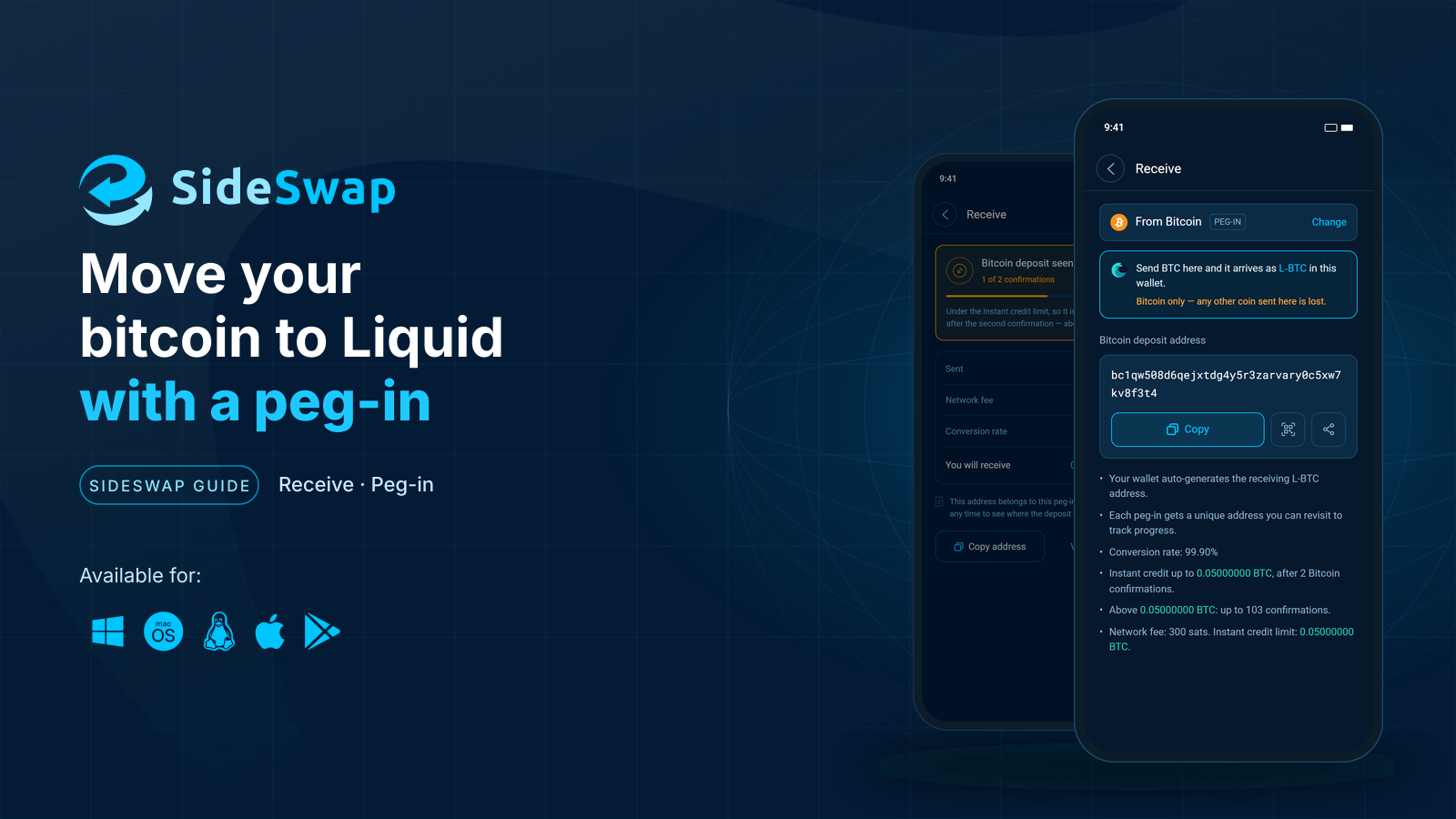
At a glance
Before you start
- The SideSwap wallet on your phone or computer, with your recovery phrase written down.
- A Bitcoin wallet or exchange account that holds the BTC you want to move.
- It must be able to send to an address that starts with bc1p. Every modern wallet can.
Step by step
Open Receive
On Home, tap Receive. Your wallet opens on Liquid, where one address takes every Liquid asset.Home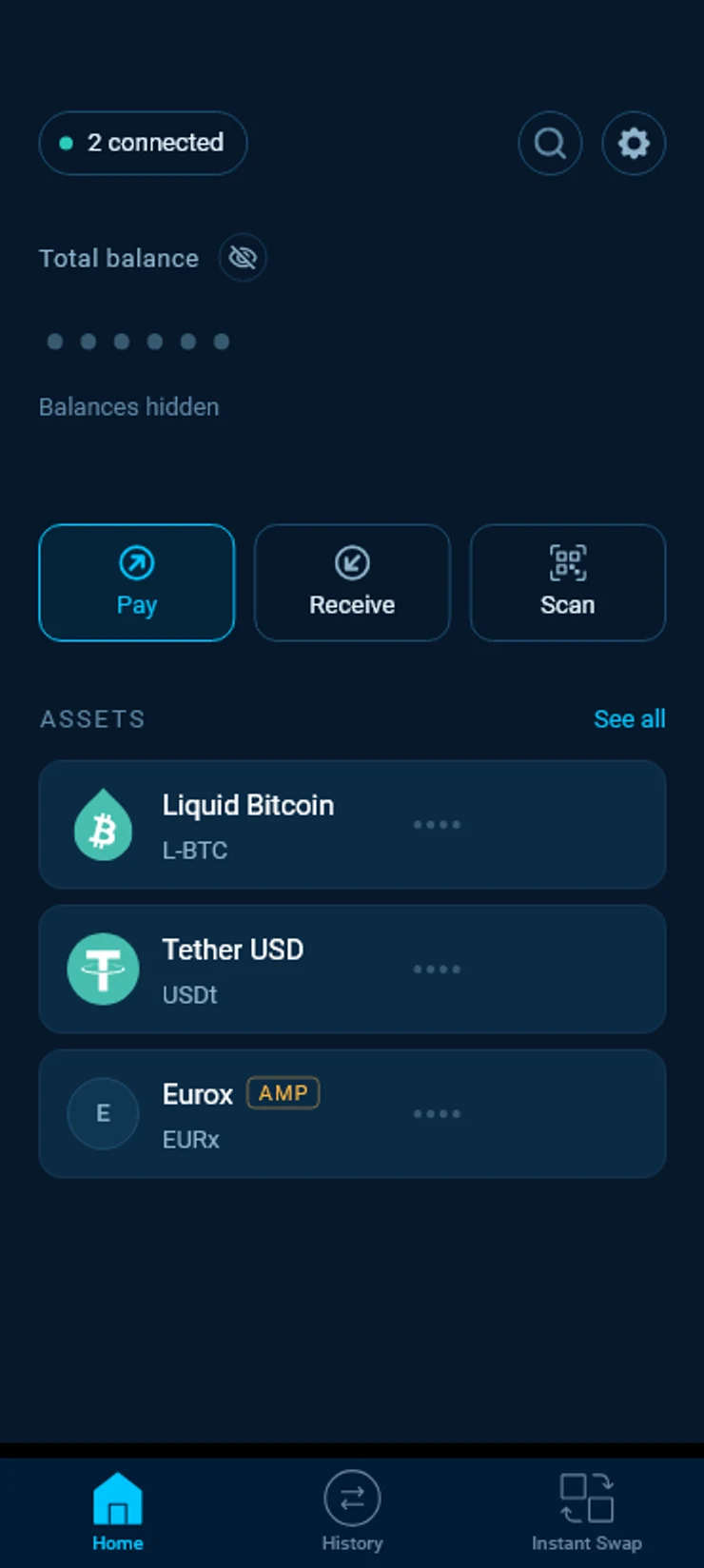
Choose Bitcoin
Tap Another chain and pick Bitcoin. The sheet shows what you send and what arrives, BTC in and L-BTC out.Receive › Another chain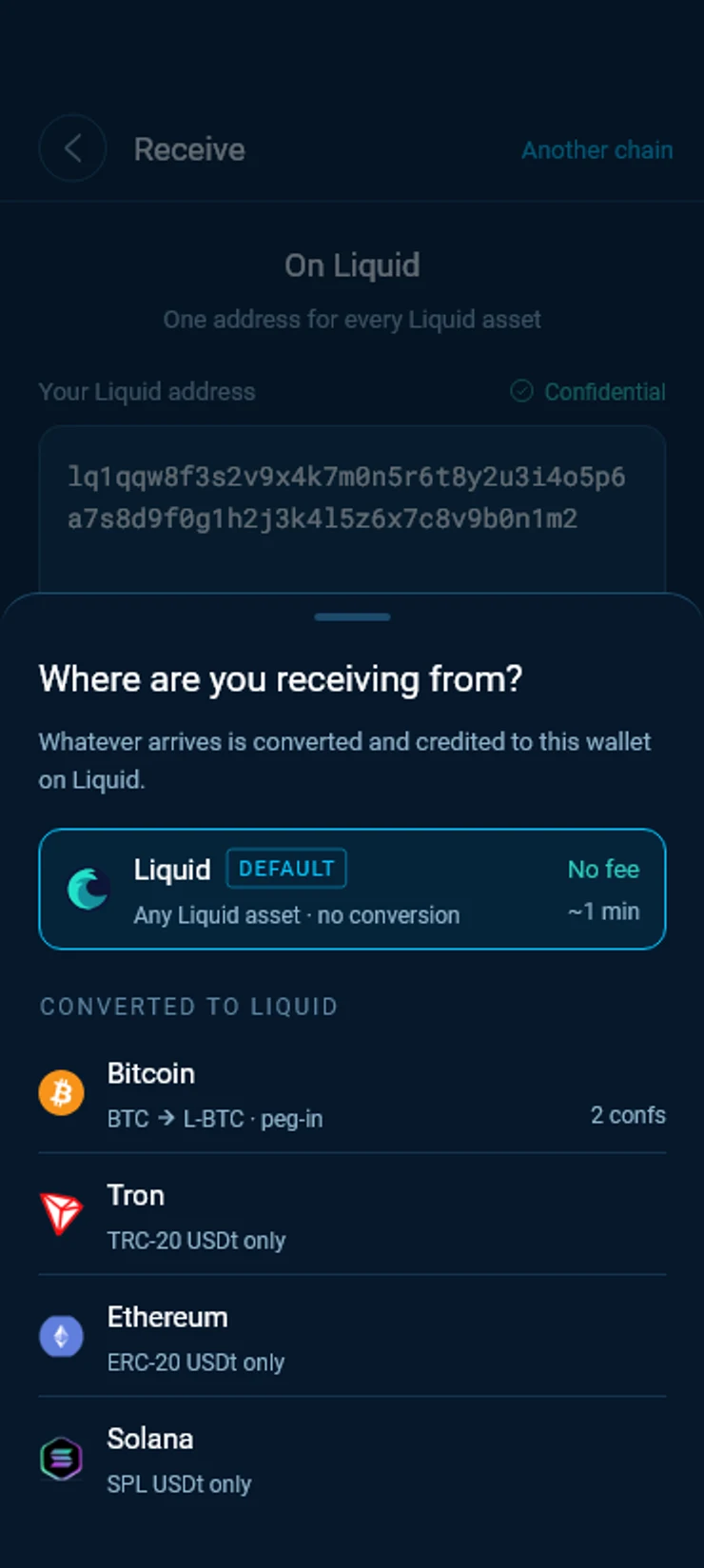
Copy your deposit address
Copy the Bitcoin deposit address or open its QR code. Your wallet creates the Liquid address that receives your L-BTC by itself, so there is nothing else to fill in.Receive › From Bitcoin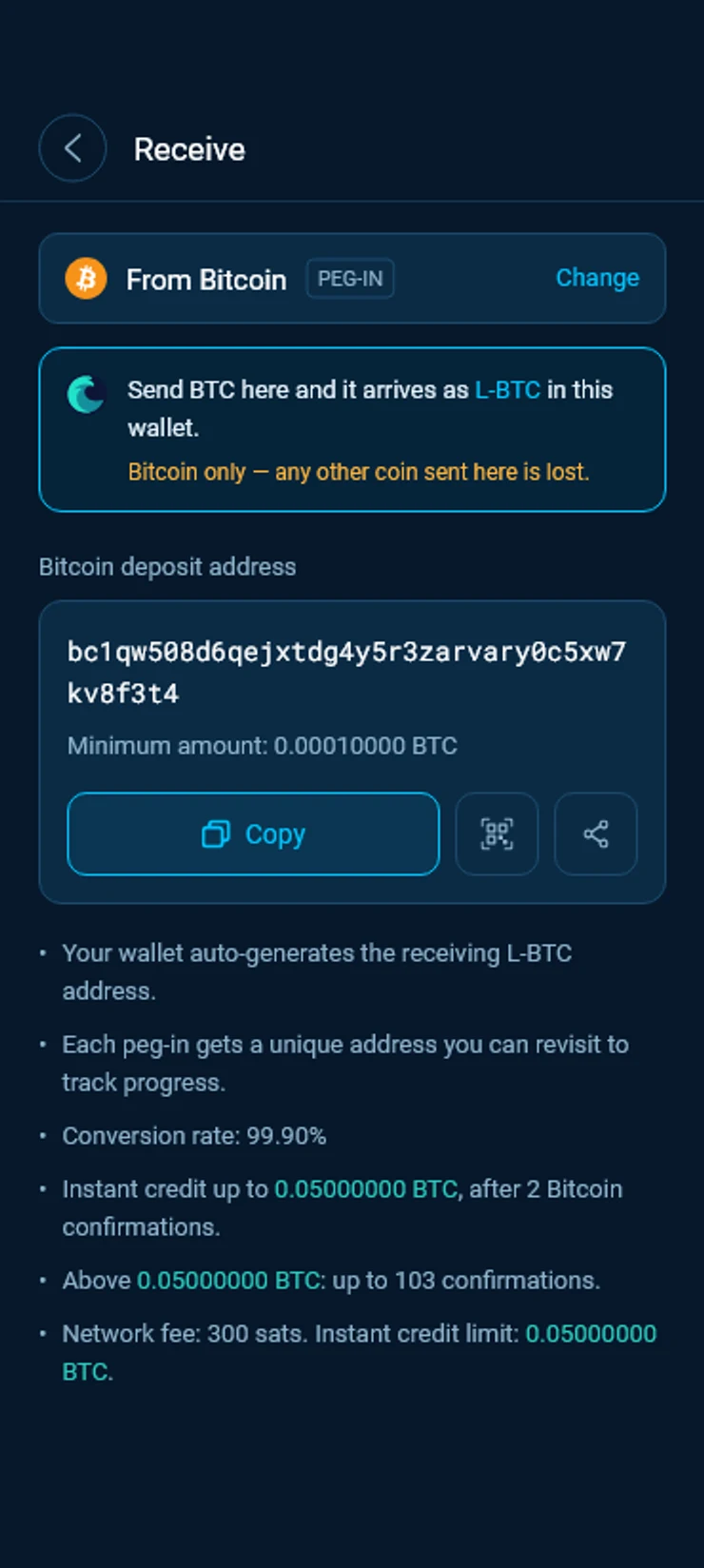
Send BTC from your other wallet
Paste the address into your Bitcoin wallet or exchange and send the amount you want to move, at least the minimum the wallet shows under the address. A smaller deposit is not credited or returned by itself. Send BTC only, any other coin sent to this address is lost.Watch it arrive
Your wallet shows the deposit as soon as it reaches the Bitcoin network. It counts the confirmations and works out what you will receive. Within the instant credit limit, your L-BTC arrives after the second confirmation.Receive › Incoming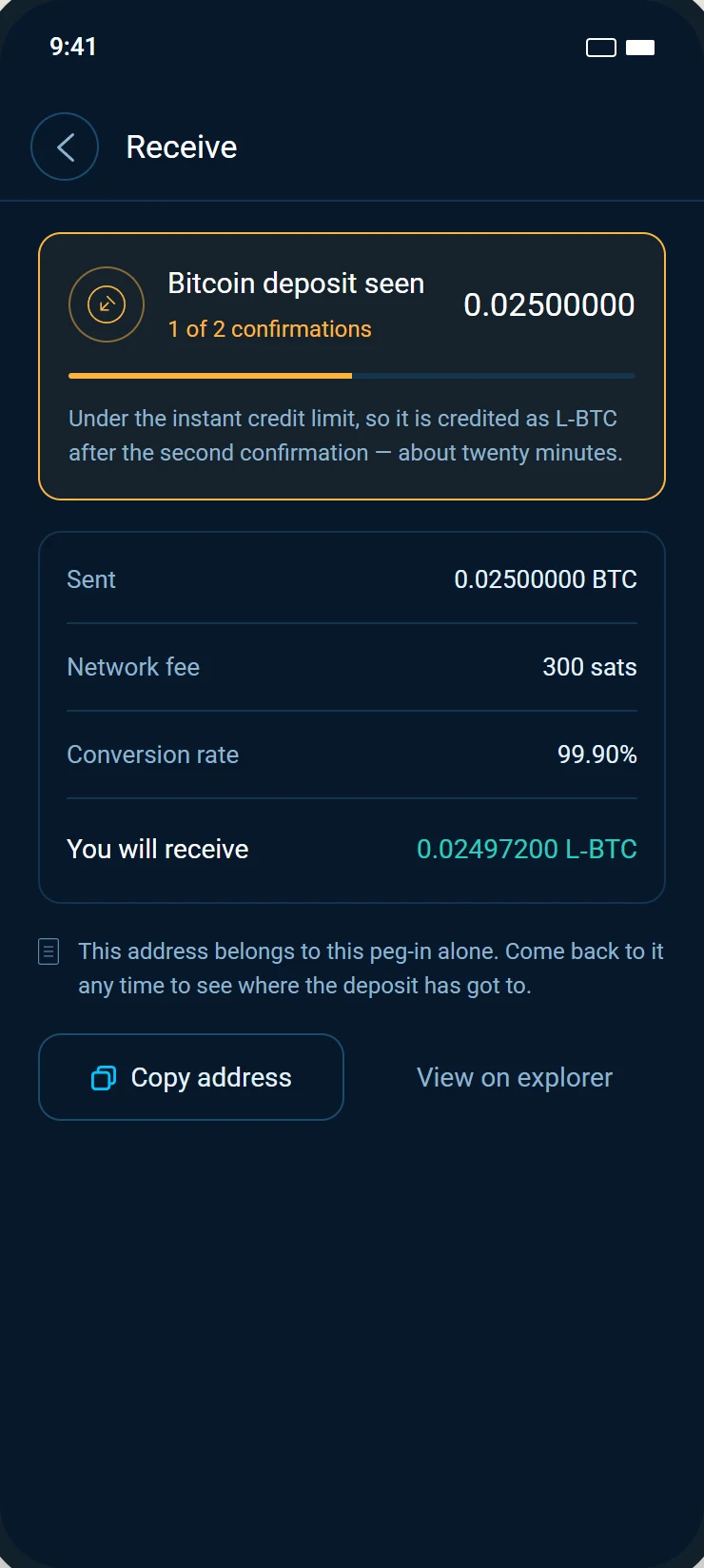
How long it takes
SideSwap pays your L-BTC from its own wallet as soon as your deposit has two Bitcoin confirmations, so you do not wait for the Liquid peg itself. How much it can pay this way at any moment is the instant credit limit. Your wallet shows it live on the deposit screen, and deposits are paid in the order they arrive.
Above the limit, or while instant credit is unavailable, your deposit waits until SideSwap's hot wallet can pay it. Your wallet tells you which case applies before you send. Your deposit is safe while it waits, and your deposit address stays valid, so you can come back to it at any time to follow it.
What it costs
Two things come off your deposit. First a fixed network fee of 300 sats, then the SideSwap fee of 0.1%. Nothing else is deducted.
The network fee pays for the Liquid transaction that credits you. It is the same at any size, so it weighs more on very small deposits.
Behind the scenes
Your deposit address belongs to SideSwap. That is what lets SideSwap credit you straight away and run the slower Liquid peg itself.
How the Liquid peg works
A peg-in is the only way new L-BTC comes into existence. The bitcoin behind it is held by the Liquid Federation, in an address that 11 of its 15 members must sign for, and L-BTC is issued against each deposit. Pegs are never confidential, so anyone can compare the L-BTC in circulation with the bitcoin the Federation holds.
Anyone can peg in on their own. With a Bitcoin node and an Elements node you make a peg-in address and its claim script, send bitcoin to the address, wait 102 Bitcoin confirmations and then claim the L-BTC with the claim script. SideSwap does all of this for you. It has been a member of the Liquid Federation since 2021, and holds none of the keys that sign for the Federation's bitcoin.
Good to know
Bitcoin only
Send only BTC on the Bitcoin network to your deposit address. Any other coin sent to it is lost.
One address for each deposit
Each peg-in gets its own address. It does not expire, and every deposit sent to it is credited on its own, but make a new one for your next deposit so each has its own page to follow.
Older peg-in addresses
An older peg-in address that does not start with bc1p is no longer watched. A deposit to one is not credited by itself. Write to [email protected] if you sent to one.
Sending from an exchange
Some exchanges hold a withdrawal for their own checks before they send it. The count starts when your BTC reaches the Bitcoin network, and your wallet shows it from then on.
No app at hand
You can also peg in on sideswap.io/peg-in-out with any Liquid address. The fee and the times are the same.
Look your transaction up first. If it still looks wrong, write to support with the Bitcoin transaction ID.
Track a transaction or a peg
Find any payment, swap or peg, read its status and check it on the explorer yourself.
Instant Swap
Swap between L-BTC, USDt and other assets in one step at a firm quoted rate.
Trade on sideswap.io from your wallet
Swap at market or place limit orders on sideswap.io and approve every trade in your wallet.